크라이스아이앤씨는 BCGControlBar 한국 공인 리셀러로서 국내 기업, 학교, 연구기관 및 개인 고객을 대상으로 BCGControlBar 라이선스를 공급하고 있습니다. BCGControlBar 라이선스 종류와 가격, 구매 방법에 대한 문의 및 견적 상담이 가능합니다. 다양한 소프트웨어 제품은 소프트웨어 제품 목록에서 확인하실 수 있습니다.
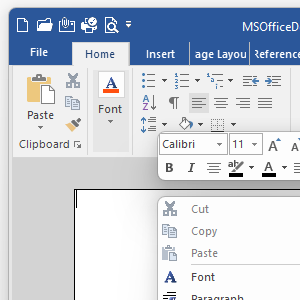
BCGControlBar (“Business Components Gallery ControlBar”) is an MFC extension library that allows you to create Microsoft Office and Microsoft Visual Studio-like applications with full customization options (ribbons, customizable toolbars, menus, and more) and a rich set of professionally-designed GUI controls such as chart, calendar, grid, editor, Gantt, and many others.
BCGControlBar library has more than 500 thoroughly designed, tested, and fully documented MFC extension classes. Our components can be easily incorporated into your application and save you hundreds of development and debugging hours.
Highlighted product features:
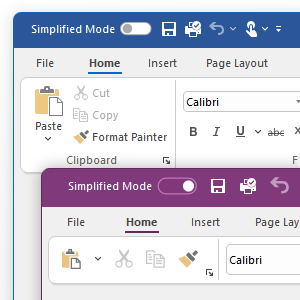
Microsoft Office-style Ribbon Bar
Identical look and feel to the Microsoft Office Ribbon Bar
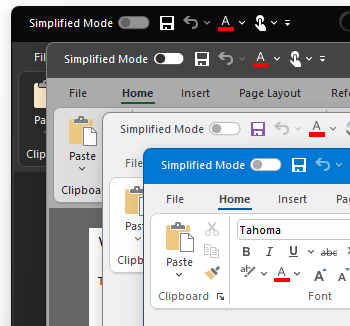
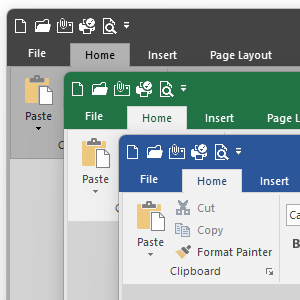
Office 2007-2024 visual themes
Windows-like (“scenic”) theme
More than 20 types of ready-to-use controls
Advanced WYSIWYG Ribbon Designer
Ribbon Backstage View with built-in and custom pages
Classic and simplified modes
Customization of ribbon controls, Quick Access toolbar, and keyboard shortcuts
Touch and mouse input modes
Built-in Ribbon commands search
Ribbon mini-toolbar and context menus
Visual Themes
More than 40 built-in visual themes
Microsoft Office 2000-2024 look
Visual Studio 6.0-2026 look
Native Windows theme
Windows 10 or later accent color support
Windows 7 or later DWM (such as “aero” or “mica”) support
High-contrast modes support
Custom visual themes
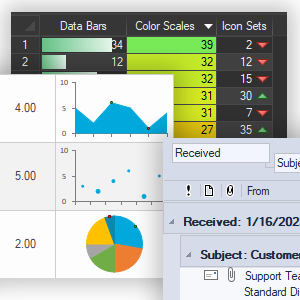
Grid and Report controls
Various cell types: text, numeric, combo box, date/time, color picker, check box, and others
Sparkline cells
Custom-type cells
Virtual mode
Hierarchical grids
Rows grouping
Built-in field chooser
Filters
Merged cells
Frozen rows and columns
Conditional formatting: data bars, color scales. and icon sets
Data binding
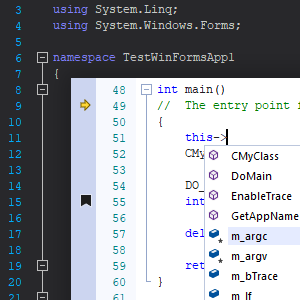
Advanced Edit control
Visual Studio-like code editor
Syntax highlighting support
XML-based schemas for the language definition
Outlining (collapsible blocks) support
IntelliSense support
Color blocks (block selection support)
Line numbering
Tracking changes bar
Current line indicator
Markers support
Error indication support
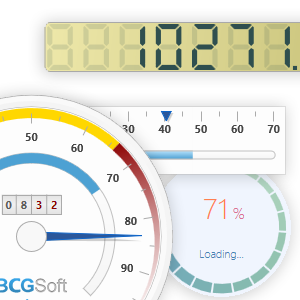
Gauges
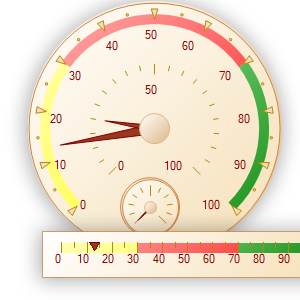
There are various types of gauges that allow the developer to create digital dashboards
Circular gauges
Linear gauges
Text, image, and color indicators
Digital numeric indicators
Knob, button, and switch controls
Circular progress indicator
Analog clock and digital watch
Gauges visual container with layout support
“State of the art” visual effects such as shadow or glow
WYSIWYG Visual Designer for Gauges
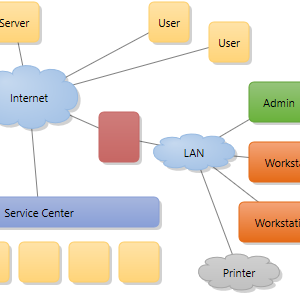
Diagrams
Unlimited number of diagram shapes and connectors
Various predefined diagram blocks
Table diagram blocks
Smart straight and curved diagram connectors with 5 types of customizable arrows
Zoom In/Zoom Out support
Ability to save and load diagrams to/from XML
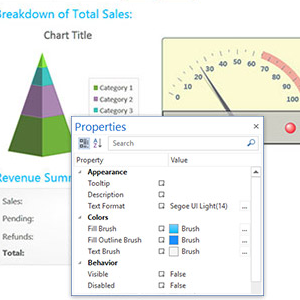
Visual Designer
Allows you to create top-quality digital dashboards and diagrams using the new WYSIWYG design tool in minutes
Supports all our gauges, diagram shapes, charts, and grid controls
Allows you to add a custom gauge or control
XML data format
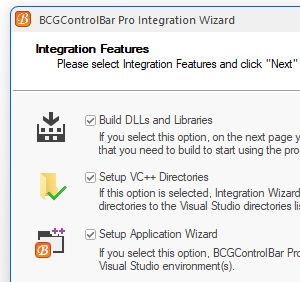
Visual Studio Integration
Our Integration Wizard sets up VC++ directories and builds all required libraries and DLLs
BCGControlBar AppWizard allows you to create Microsoft Office or Visual Studio-style applications in seconds. The most popular components of the library persist as the options of AppWizard
What is BCGControlBar Library for .NET?
BCGControlBar Library for .NET is a 100% managed code toolkit that is written in C++/CLI and targets Microsoft .NET Framework version 2.0 or higher. The library contains a number of highly customizable, fully designable components that enable you to create the most sophisticated user interface. The library includes fully-customizable Office 2000-2016-style toolbars and menus, VS 2005-2026-style docking bars, Office 2007-2016-style ribbons, auto-hide control bars, MDI tabs, gauges, grid and report controls, flexible visualization managers, and more.
Highlighted product features:
Microsoft Office-style Ribbon Bar
Identical look and feel to the Microsoft Office Ribbon Bar
Office 2007-2016 visual themes
More than 20 types of ready-to-use controls
Ribbon Backstage View with built-in and custom pages
Customization of the Quick Access Toolbar and keyboard shortcuts
Ribbon mini-toolbar and context menus
Visual Themes
More than 20 built-in visual themes
Microsoft Office 2000–2016 look
Visual Studio 2008-2019 look
Native Windows theme
Windows 10 or later accent color support
Windows 7 or later DWM support
High contrast modes support
Custom visual themes
Grid and Report controls
Various cell types: text, numeric, combo box, date/time, color picker, check box, and others
Custom-type cells
Virtual mode
Rows grouping
Built-in field chooser
Filters
Merged cells
Gauges
There are various types of gauges that allow the developer to create digital dashboards
Circular gauges
Linear gauges
What is BCGSuite for MFC?
BCGSuite is a product that extends Visual Studio 2008–2022 MFC functionality. The new MFC version included in Visual Studio 2008 is based on BCGControlBar Pro technology, but some significant library components, such as Chart, Grid, Calendar, Editor, and others, are not included in the latest MFC version. BCGSuite includes these components as well as many other professionally designed GUI controls.
BCGSuite library has more than 100 thoroughly designed, tested, and fully documented MFC extension classes. Our components can be easily incorporated into your application and save you hundreds of development and debugging hours.
Highlighted product features:
Chart control
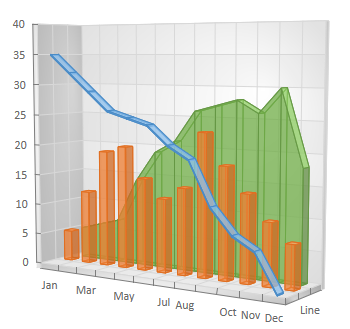
30+ 2D and 3D chart types
Unlimited number of series
Unlimited number of data points in series
Ability to display different series types on the same chart area
Realtime charting
History modes
Data points have customizable appearances (markers, labels, and colors)
Smart labels support
Data binding
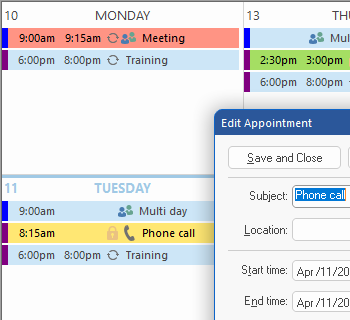
Calendar (Planner) control
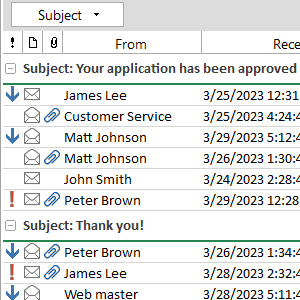
Microsoft Outlook style
Daily, work week, weekly, monthly, and schedule views
Appointment and scheduling
Appointment reminders
Recurring appointments
Concurrent appointments
Multiple resources support
Multi-Day and All Day Events
Grid and Report controls
Various cell types: text, numeric, combo box, date/time, color picker, check box, and others
Sparkline cells
Custom-type cells
Virtual mode
Hierarchical grids
Rows grouping
Built-in field chooser
Filters
Merged cells
Frozen rows and columns
Conditional formatting: data bars, color scales. and icon sets
Data binding
Advanced Edit control
Visual Studio-like code editor
Syntax highlighting support
XML-based schemas for the language definition
Outlining (collapsible blocks) support
IntelliSense support
Color blocks (block selection support)
Line numbering
Tracking changes bar
Current line indicator
Markers support
Error indication support
Visual Designer
Allows you to create top-quality digital dashboards and diagrams using the new WYSIWYG design tool in minutes
Supports all our gauges, diagram shapes, charts, and grid controls
Allows you to add a custom gauge or control
XML data format
Diagrams
Unlimited number of diagram shapes and connectors
Various predefined diagram blocks
Table diagram blocks
Smart straight and curved diagram connectors with 5 types of customizable arrows
Zoom In/Zoom Out support
Ability to save and load diagrams to/from XML
BCGControlBar for MFC System Requirements
Development Environment:
Microsoft Visual C++ 6.0 with SP 4 or higher
Microsoft Visual Studio.NET
Microsoft Visual Studio.NET 2003
Microsoft Visual Studio 2005
Microsoft Visual Studio 2008
Microsoft Visual Studio 2010
Microsoft Visual Studio 2012
Microsoft Visual Studio 2013
Microsoft Visual Studio 2015
Microsoft Visual Studio 2017
Microsoft Visual Studio 2019
Microsoft Visual Studio 2022
Microsoft Visual Studio 2026
Operating System:
Windows 95
Windows 98
Windows ME
Windows NT 4.0
Windows 2000
Windows XP
Windows Server 2003
Windows Vista Windows Server 2008
Windows 7
Windows 8/8.1
Windows Server 2012
Windows 10
Windows Server 2016
Windows Server 2019
Windows 11
Windows Server 2022
Platforms:
Win32
x64
ARM
ARM64
BCGControlBar for .NET System Requirements
Development Environment:
Microsoft Visual Studio 2005
Microsoft Visual Studio 2008
Microsoft Visual Studio 2010
Microsoft Visual Studio 2012
Microsoft Visual Studio 2013
Microsoft Visual Studio 2015
Microsoft Visual Studio 2017
Microsoft Visual Studio 2019
Microsoft Visual Studio 2022
Operating System:
Windows 2000
Windows XP
Windows Server 2003
Windows Vista
Windows Server 2008
Windows 7
Windows 8/8.1
Windows Server 2012
Windows 10
Windows Server 2016
Windows Server 2019
Windows 11
Windows Server 202
With .NET Framework 2.0 or higher
BCGSuite for MFC System Requirements
Development Environment:
Microsoft Visual Studio 2008 with SP 1
Microsoft Visual Studio 2010
Microsoft Visual Studio 2012
Microsoft Visual Studio 2013
Microsoft Visual Studio 2015
Microsoft Visual Studio 2017
Microsoft Visual Studio 2019
Microsoft Visual Studio 2022
Microsoft Visual Studio 2026
Operating System:
Windows 2000
Windows XP
Windows Server 2003
Windows Vista
Windows Server 2008
Windows 7
Windows 8/8.1
Windows Server 2012
Windows 10
Windows Server 2016
Windows Server 2019
Windows 11
Windows Server 2022
Platforms:
Win32
x64
ARM
ARM64
[BCGSoft 견적 요청]
-상기 화면은 BCGSoft 웹사이트 한국 공인 리셀러 페이지 입니다-
BCGSoft 한국 판매처 및 공인 리셀러
크라이스아이앤씨는 BCGControlBar 한국 판매처로서 라이선스 구매 및 갱신에 필요한 상담과 견적을 제공합니다.
주식회사 크라이스아이앤씨는 2003년에 설립되어 BCGSoft 사의 제품을 2004년도부터 판매해오고 있으며, 한국 공인 리셀러 입니다.
크라이스아이앤씨 는 국내 대표적인 IT 소프트웨어공급사로 한국 국내에 기업,학교,연구기관 및 공공기관등 여러 각종 전문분야에 종사하시는 분들에게 맞는 제품을 공급해드리고 있으며, 구매하신 소프트웨어제품의 업데이트와 필요시 업그레이드 지원을 하고 있습니다.
고객들이 해외소프트웨어구매시 어려움이 없게 크라이스아이앤씨 자체쇼핑몰 kreissoft.co.kr 를 운영해오고 있으며 또한 설계,디자인,영상,음악등 엔터테인먼트 분야에 특화된 쇼핑몰 Dez.co.kr 도 같이 운영하고 있습니다.
일반 고객들도 쉽고 편하게 이용할수 있도록 네이버 스마트스토어에 2018년도부터 입점하여 당사가 취급하는 전제품을 올려놓았으며 그동안 고객지원에 힘쓴결과 2022년 네이버파트너 인증을 받았습니다.