

ZBrush 한국 판매처입니다.
크라이스아이앤씨는 ZBrush 한국 리셀러로서 국내 기업 및 개인 고객을 대상으로 ZBrush 라이선스를 공급하고 있습니다. ZBrush 라이선스 종류와 가격, 구매 방법에 대한 문의 및 견적 상담이 가능합니다. 다양한 소프트웨어 제품은 소프트웨어 제품 목록에서 확인하실 수 있습니다.
ZBrush는 강력한 기능과 직관적인 워크플로우로 3D 업계를 혁신한 디지털 조각 및 채색 프로그램입니다. 세련된 인터페이스로 설계된 ZBrush는 오늘날의 디지털 아티스트를 위한 세계 최고 수준의 도구를 제공합니다. 사용 편의성을 염두에 두고 개발된 다양한 기능을 통해 ZBrush는 놀랍도록 자연스러운 사용자 경험을 제공하는 동시에 아티스트의 영감을 자극합니다. 최대 10억 개의 폴리곤을 조각할 수 있는 ZBrush를 사용하면 상상력만이 한계입니다.
ZBrush의 메뉴는 순환성 원리를 기반으로 설계되어 비선형적이고 모드에 구애받지 않는 방식으로 상호 작용합니다. 이를 통해 3D 모델, 2D 이미지 및 2.5D 픽셀을 새롭고 독창적인 방식으로 상호 작용할 수 있습니다.
ZBrush는 2D 또는 3D 컨셉을 빠르게 스케치하고 아이디어를 완성하는 데 필요한 모든 도구를 제공합니다. 조명 및 대기 효과를 적용하여 ZBrush에서 직접 사실적인 렌더링을 생성할 수 있습니다. 다양한 강력한 내보내기 옵션을 통해 3D 프린팅을 위한 모델을 손쉽게 준비하거나 다른 디지털 애플리케이션에서 활용할 수 있습니다.
ZBrush는 강력한 소프트웨어 처리 능력을 바탕으로 고가의 그래픽 카드를 구입하지 않고도 수백만 개의 폴리곤으로 조각하고 채색할 수 있도록 지원합니다. 이러한 이유로 ZBrush는 예술 애호가부터 대형 영화 및 게임 스튜디오에 이르기까지 널리 사용되고 있습니다.
기술적인 어려움과 가파른 학습 곡선은 뒤로하고, 익숙한 붓과 도구를 사용하여 조각하고 채색해 보세요.
What's new in ZBrush 2027.0
New features and improvements:
- UV Editor, a dedicated application for UV work, built on Cinema 4D technology
- Opens from Tool > UV Map, with All, Visible, or Selected SubTools
- Create, unwrap, edit, and pack UVs, then apply the result to your model
- Unwrap by PolyGroup
- All UV pages are now together in the new UV Mapping section of the User Guide
- Selection Sets in the Tool palette:
- Store several versions of a SubTool’s Polygroups, masks, polypaint, UVs, and morph targets
- Recall any stored set with one click
- Store more than one morph target and blend between them
- Copy, Paste, and Clear buttons in the Polygroups, Masking, and Polypaint sub-palettes
- Delete Spotlight clears the Spotlight canvas and removes every image
- Bake Current bakes only the selected 3D layer
UV Editor in ZBrush Desktop
The new UV Editor allows you to create and edit UVs directly inside ZBrush, eliminating the need to switch to another app and keeping sculpting workflows uninterrupted. Built from Maxon’s Cinema 4D UV technology, it delivers professional UV tools for production-ready assets without breaking creative flow.

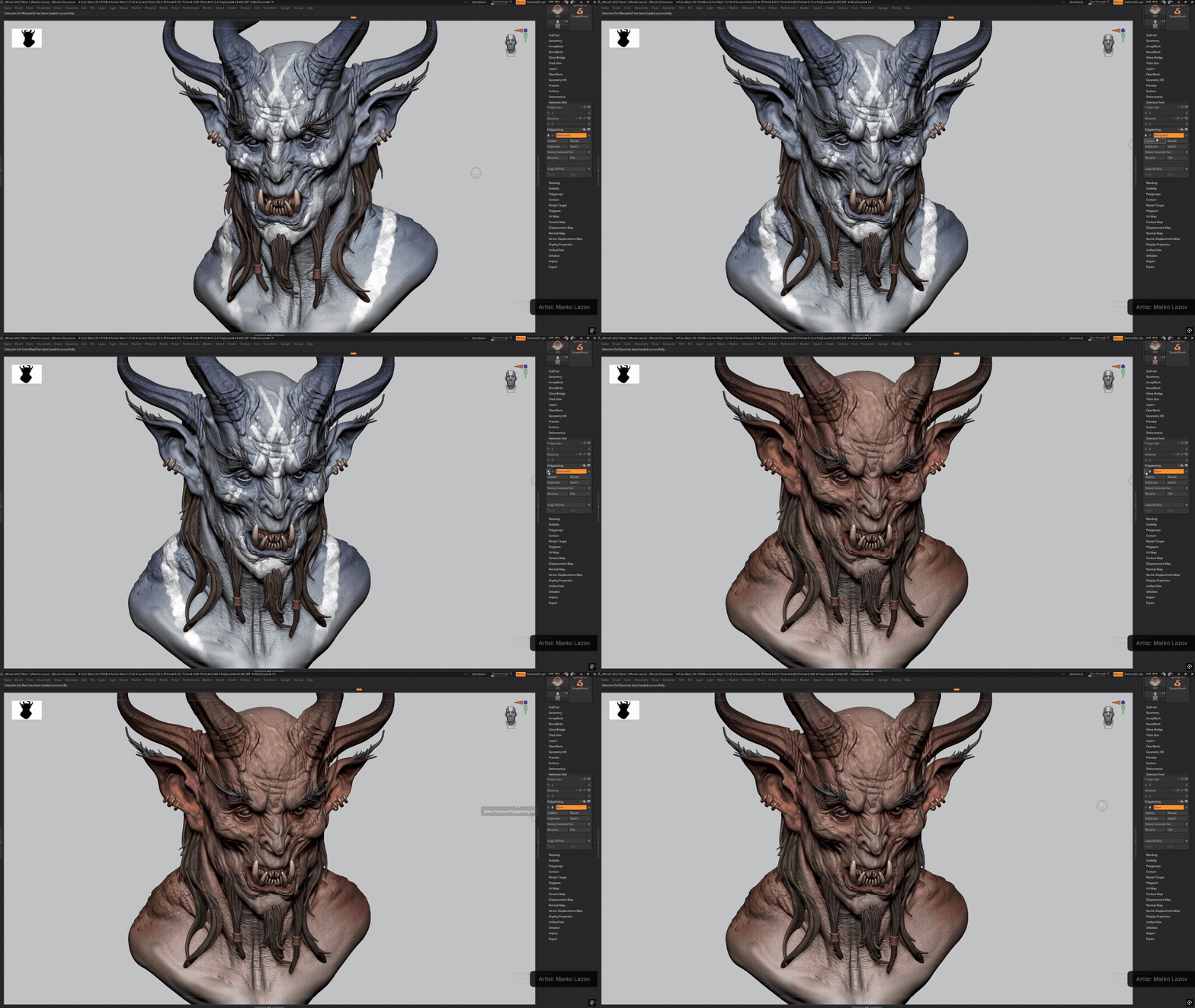
Selection Sets (ZBrush Desktop)
Save and switch between multiple sculpting states, including masks, polygroups, polypaint, morph targets and UV setups. Enjoy faster and easier experimentation inside complex workflows.
ZBrush – Windows
Highly Recommended:
- OS: 64-bit editions of Windows 10 or 11.
- CPU: Intel i5/7/Xeon technology or AMD Ryzen/Threadripper or newer.
- RAM: 8 GB required for working with multi-million poly models. (16+ GB preferred.)
- HDD: 100 GB of free hard drive space for ZBrush and its scratch disk. (SSD drive highly recommended.)
- Pen Tablet: Wacom or Wacom compatible. (WinTab API.)
- Monitor: 1920×1080 monitor resolution or higher with 32-bit color.
- Video card: Must support OpenGL 3.3 or higher and Vulkan 1.1 or higher.
- Redshift: Redshift (including Redshift in ZBrush) has its own system requirements. Please see here.
Minimum System Requirements:
- OS: 64-bit editions of Windows 10 or 11. (32-bit operating systems are no longer supported.)
- CPU: Core2duo or AMD equivalent with SSE2 technology or better.
- RAM: 4 GB (6+ GB strongly recommended)
- HDD: 8 GB of free hard drive space for ZBrush and its scratch disk.
- Pen Tablet: Mouse or Wacom compatible (WinTab API) pen tablet.
- Monitor: 1280×1024 monitor resolution with 32-bit color.
- Video card: Must support OpenGL 3.3 or higher and Vulkan 1.1 or higher.
- Redshift: Redshift (including Redshift in ZBrush) has its own system requirements. Please see here.
ZBrush – Macintosh
Highly Recommended:
- OS: Mac OS: 10.14 or above.
- CPU: Intel i5/7/Xeon technology. Apple Silicon supported.
- RAM: 8 GB required for working with multi-million polys. (16+ GB preferred.)
- HDD: 100GB of free hard drive space ZBrush and its scratch disk. (SSD drive highly recommended.)
- Pen Tablet: Wacom or Wacom compatible. (Carbon API.)
- Monitor: 1920×1080 monitor resolution or higher with millions of colors.
- Video card: Must support OpenGL 3.3 or higher.
- Redshift: Redshift (including Redshift in ZBrush) has its own system requirements. Please see here.
Minimum System Requirements:
- OS: Mac OS: 10.14 or above.
- CPU: Core2duo with SSE2 technology or better. Apple Silicon supported.
- RAM: 4 GB (6+ GB strongly recommended)
- HDD: 8 GB of free hard drive space for ZBrush and its scratch disk.
- Pen Tablet: Mouse or Wacom compatible (Carbon API) pen tablet.
- Monitor: 1280×1024 monitor resolution with millions of colors.
- Video card: Must support OpenGL 3.3 or higher.
- Redshift: Redshift (including Redshift in ZBrush) has its own system requirements. Please see here.
[ZBrush 2027 견적 요청]
ZBrush 한국 판매처 및 리셀러
주식회사 크라이스아이앤씨는 2003년에 설립되어 Maxon사의 ZBrush제품을 판매하는 한국 리셀러 입니다.
크라이스아이앤씨 는 국내 대표적인 IT 소프트웨어공급사로 한국 국내에 기업,학교,연구기관 및 공공기관등 여러 각종 전문분야에 종사하시는 분들에게 맞는 제품을 공급해드리고 있으며, 구매하신 소프트웨어제품의 업데이트와 필요시 업그레이드 지원을 하고 있습니다.
고객들이 해외소프트웨어구매시 어려움이 없게 크라이스아이앤씨 자체쇼핑몰 kreissoft.co.kr 를 운영해오고 있으며 또한 설계,디자인,영상,음악등 엔터테인먼트 분야에 특화된 쇼핑몰 Dez.co.kr 도 같이 운영하고 있습니다.
일반 고객들도 쉽고 편하게 이용할수 있도록 네이버 스마트스토어에 2018년도부터 입점하여 당사가 취급하는 전제품을 올려놓았으며 그동안 고객지원에 힘쓴결과 2022년 네이버파트너 인증을 받았습니다.